
Money Calendar 7.0 for Windows is here - and it's not just another update. The entire personal finance app has been rebuilt from the ground up: the old MFC/C++ codebase is gone, replaced by a modern WPF/.NET client modeled on the Money Calendar app for macOS. New interface, new engine, new way of storing your data - but your existing budget projects still open right where you left off.
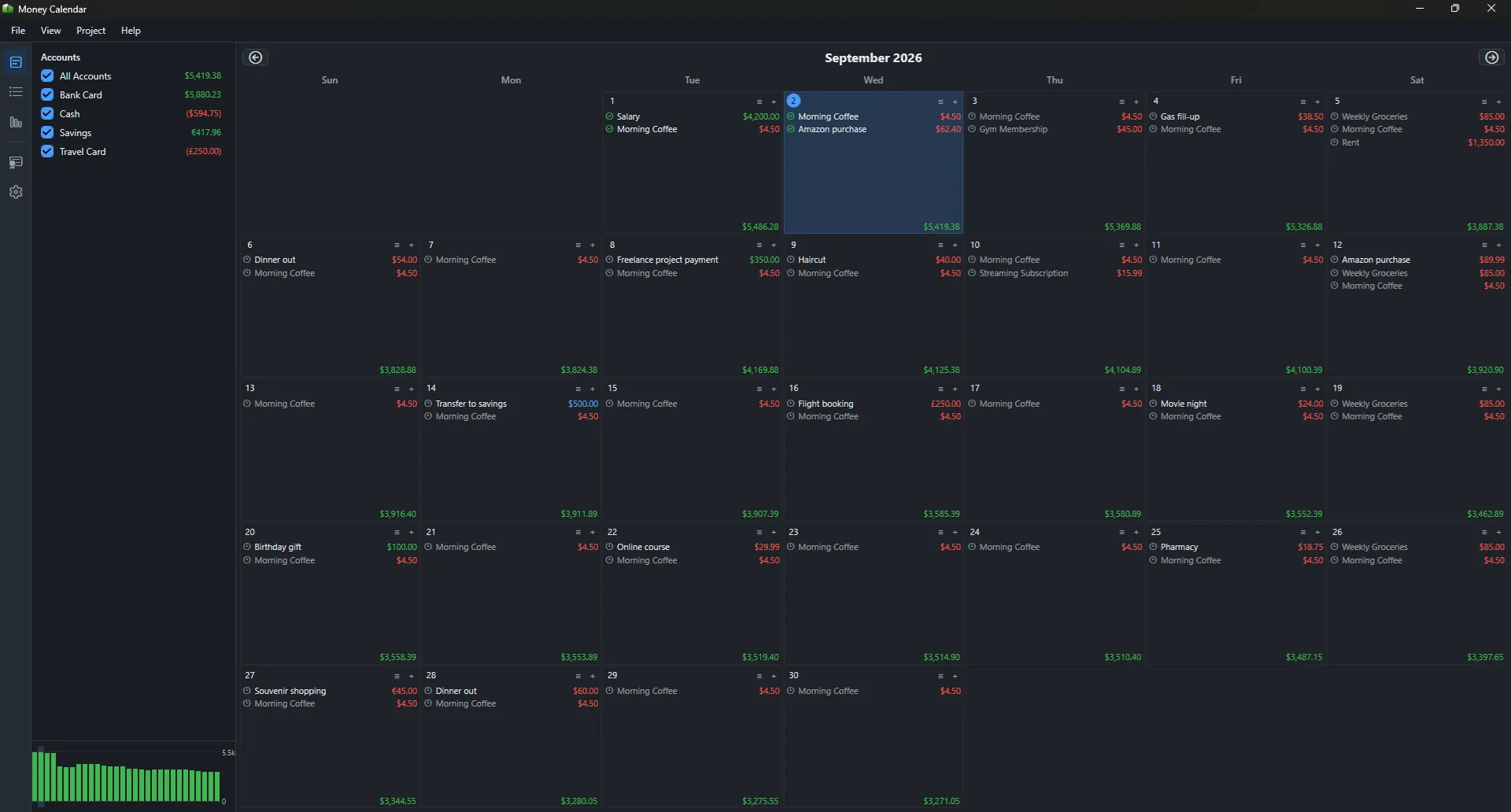
What's New in Money Calendar 7.0
Redesigned interface. The calendar view, account sidebar, transaction list, and reports all get a modern look, with full support for light, dark, and system theme.
Multiple accounts and currencies. Track income and expenses across any number of accounts in different currencies, with automatic conversion using exchange rates for the correct date.
Recurring transactions. Set up a recurring income or expense once, and it keeps showing up on your budget calendar automatically - no manual re-entry.
Significantly improved financial reports. The reports section has been rebuilt and greatly expanded. Beyond a general overview, you now get dedicated reports for expenses and income broken down by category and subcategory, a cash flow report, a balance forecast for 30 days, 3, 6, or 12 months (or any custom range), and an accounts summary - all with clear charts and flexible date filters.
Import and export. Bring in transactions from CSV files and OFX bank statements, and export your data whenever you need it.
Automatic backups. The app backs up your database automatically, keeps the most recent versions, and lets you restore in one click.
Built-in auto-update. Money Calendar checks for new versions on its own and offers to install them for you.
Full Backward Compatibility with Older Projects
Even though the app was rebuilt from scratch, it still understands project files from earlier Money Calendar versions (.budget). Just pick your old file from the Import Project menu - Money Calendar extracts the database and exchange-rate history, backs up your current data automatically, and brings over every account, category, currency, and transaction. No manual re-entry, no lost history.
How to Upgrade
Just download and install Money Calendar 7.0 from the website - no uninstall required. The old and new versions can run side by side on the same PC, so you can switch over at your own pace. Bring your existing budget into the new app anytime via File → Import Project.
Upgrading from version 6.x? If you purchased a Money Calendar 6.x license within the last 6 months, your upgrade to 7.0 is free. Just enter your existing 6.x license key in the new version and it activates automatically - no need to buy a new license.