Everything You Need to Master Your
Cash Flow & Financial Runway
Engineered from the ground up for macOS (SwiftUI) and Windows (.NET 10 WPF). Discover how Money Calendar replaces rigid spreadsheets with a crystal-clear, forward-looking financial calendar.
Interactive Month Calendar with Day-by-Day Totals
Money Calendar organizes your income, regular bills, and daily spending directly onto an interactive monthly calendar. Every day cell calculates your net daily flow, end-of-day account balances, and upcoming obligations. When a payment date changes, simply drag and drop it to another day — all balances recalculate in milliseconds.
-
Real-Time Day Totals: See daily income, expenses, and running account balances right inside each day cell.
-
Fluid Drag & Drop: Reschedule bills or paychecks between dates with instant mathematical recalculation.
-
Status Badges: Differentiate between planned upcoming bills, uncleared checks, and cleared transactions at a glance.
-
Custom Account Filtering: View a single wallet, a specific bank account, or consolidate all liquid assets together.
Forward-Looking Balance Forecast (30 to 365 Days)
Traditional budget software only tells you what you spent last week. Money Calendar looks forward. By merging current account balances with scheduled paychecks, upcoming recurring bills, and split expenses, it simulates your exact cash position weeks and months into the future.
-
Flexible Horizons: Select 30 days, 60 days, 90 days, 180 days, or a full 365-day year of future balance modeling.
-
High-Performance Charts: Visual balance trajectory curves rendered natively on Windows and Mac.
-
Proactive Planning: Know your exact cash runway before making large commitments or booking vacations.
-
Scheduled Event Integration: Automatically factors in all future recurring rules and planned transfers.
Smart Recurring Rules & Virtual Schedules
Never miss a bill or forget a renewal date. Money Calendar features a flexible recurrence engine that projects future occurrences dynamically onto your calendar. Virtual events stay cleanly separated from confirmed transactions until you check them off or confirm payment.
-
Versatile Intervals: Daily, Weekly, Bi-Weekly, Monthly, Quarterly, or Yearly recurrence patterns with custom intervals.
-
Clean Virtual Occurrences: Future events appear visually without polluting your historical records.
-
Single-Instance Edits: Modify an amount or skip a single occurrence without breaking the master rule schedule.
-
Reconciliation Check-off: Quickly mark virtual occurrences as paid to instantly convert them into permanent records.
True Global Multi-Currency with USD Pivot
Whether you are an international contractor, frequent traveler, or manage multiple currency accounts, Money Calendar handles multi-currency natively. Using a USD-pivot architecture, every currency calculates accurately without triangulation rounding errors.
-
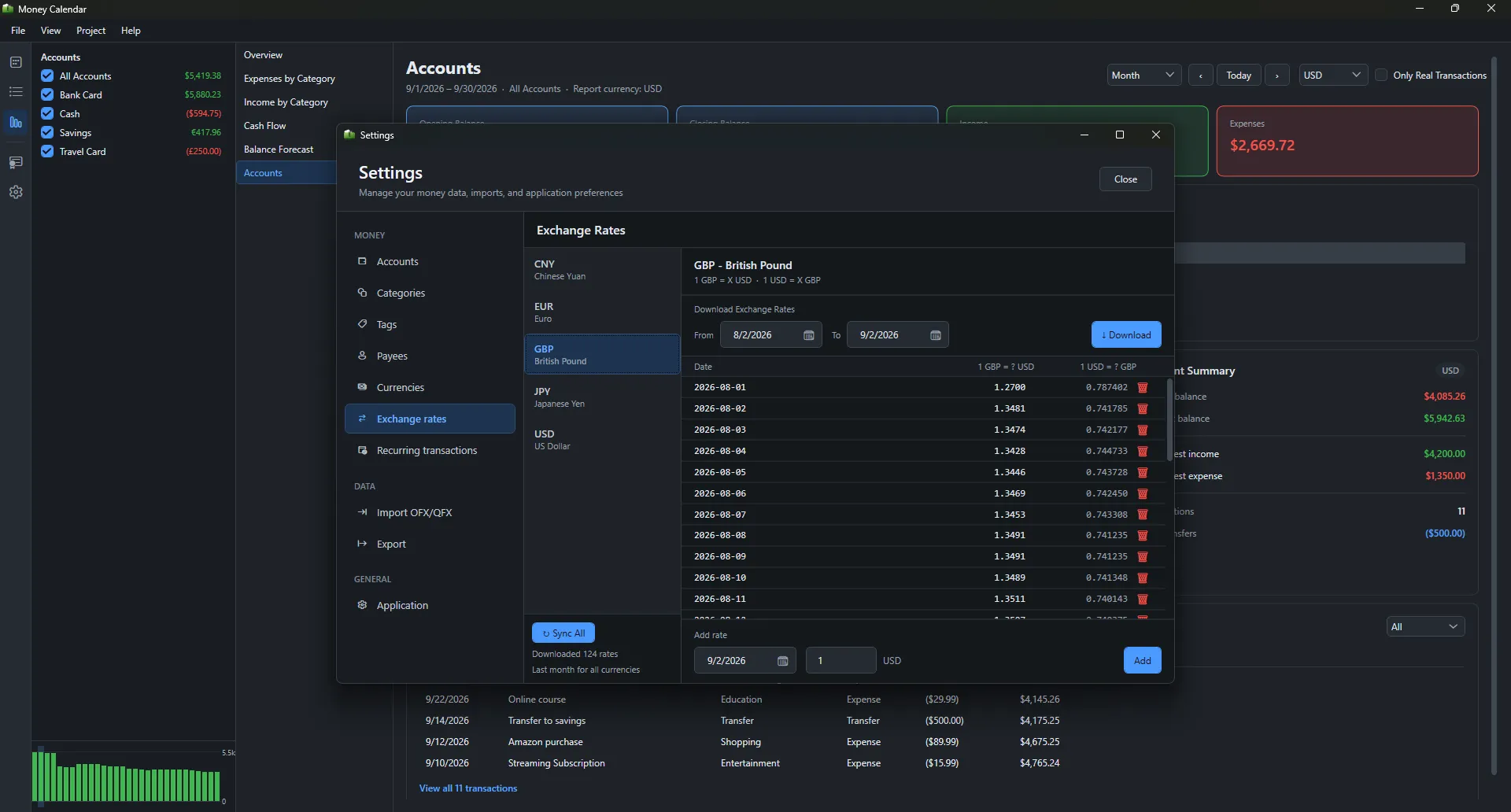
Live Automatic Exchange Rates: Automatically downloads official currency exchange rates daily.
-
USD Pivot Precision: Mathematically sound conversion architecture matching professional financial software.
-
Custom Rate Overrides: Set exact transaction-level exchange rates for specific bureau de change purchases.
-
Unified Total Net Worth: Displays your consolidated wealth in whatever base currency you choose.
Itemized Split Receipts & Hierarchical Categories
A single trip to Costco, Walmart, or Target often contains groceries, household goods, electronics, and clothing. Money Calendar lets you split any single transaction into itemized lines with distinct categories, ensuring your analytical reports reflect your real lifestyle habits.
-
Unlimited Split Lines: Add as many split items as needed per receipt with instant total verification.
-
Two-Tier Categories: Organize spending into intuitive Parent Categories and Subcategories with custom icons.
-
Auto-Complete Payees: Remember frequent stores, payees, and transaction notes automatically.
-
Accurate Expense Analytics: Prevents grocery totals from being artificially inflated by household equipment.
Visual Financial Reports & Analytical Dashboards
Understand your personal finances through rich, interactive reports. Drill down into expenses by category, analyze multiple income streams, compare month-over-month cash flow dynamics, and inspect account balance histories over any custom timeframe.
-
Overview Summary Dashboard: Instant high-level view of income, expenses, and net savings rate.
-
Expenses & Income by Category: Interactive donut charts and ranked tables highlighting top spending areas.
-
Monthly Cash Flow Comparison: Historical bar charts to compare seasonal spending patterns year-over-year.
-
Custom Date Filtering: Filter reports by this month, last quarter, full year, or custom date spans.
Bank Statement Import (CSV / OFX / QFX) & Migration
Getting your transactions into Money Calendar is frictionless. Use the flexible CSV Import tool with custom column mapping, import standard OFX/QFX statement files from major banks, or migrate existing files from previous versions of Money Calendar.
-
Custom CSV Mapping: Map date, amount, description, payee, and category columns to any bank format.
-
Standard Bank Support: Direct support for industry-standard OFX and QFX export files.
-
Smart Deduplication: Identifies already recorded transactions to prevent duplicate entries.
-
Export Anytime: Export your full dataset back to standard CSV or OFX whenever you choose.
100% Offline Privacy & Automated SQLite Backups
We believe your financial life is strictly personal. Money Calendar operates 100% offline using a single standard SQLite file. We never ask for your bank passwords, scrape your accounts, or harvest telemetry. Automated background snapshots ensure you can restore any past state with a single click.
-
Portable SQLite Standard: Identical database structure (
money-calendar.db) shared between macOS and Windows. -
Automated Snapshot Backups: Creates timestamped database copies automatically on a customizable schedule.
-
Zero Cloud Tracking: No third-party analytics SDKs, advertising pixels, or telemetry servers.
-
Sync on Your Terms: Sync using your own private iCloud, Dropbox, OneDrive, or local backup drives.
Application Screenshots & Interface
Explore real screenshots of Money Calendar in action across daily calendar views, analytical reports, split receipt editors, and multi-currency settings.
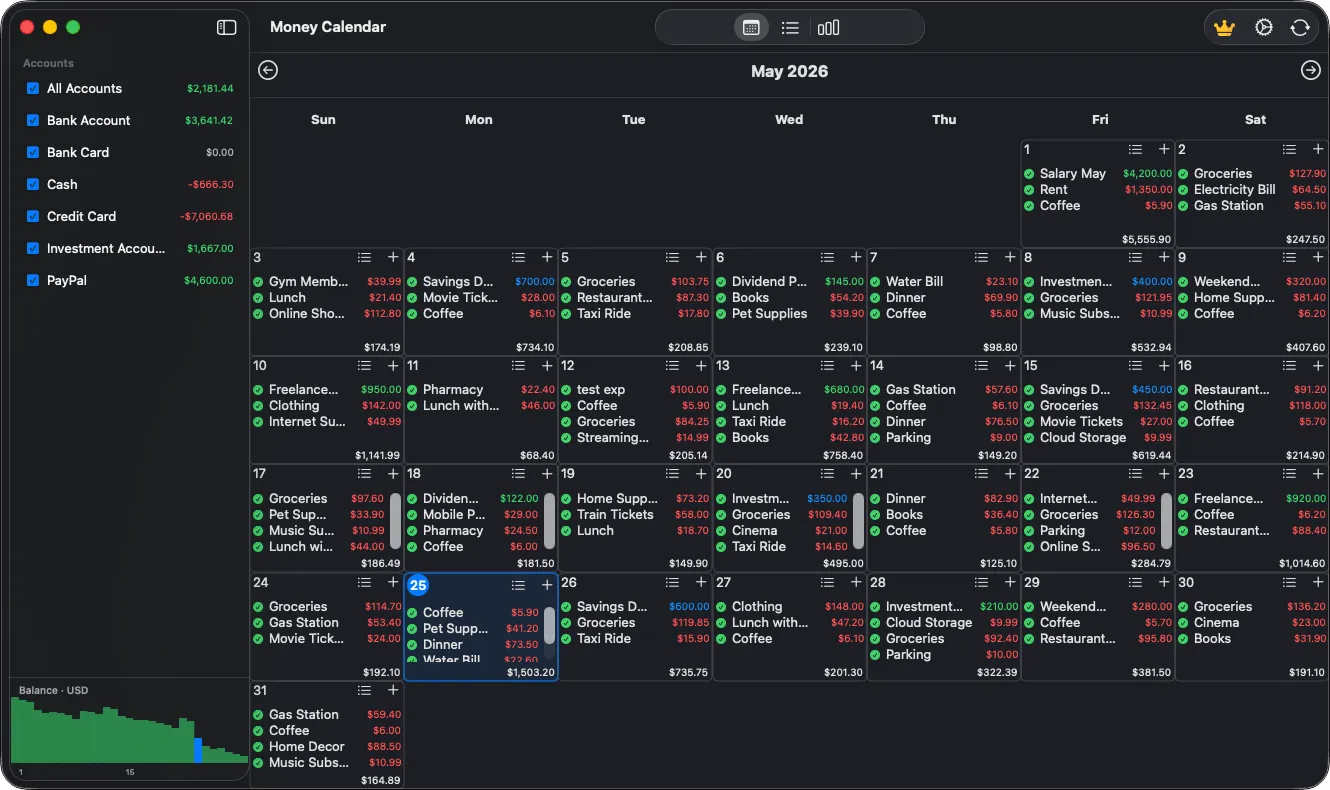
Money Calendar app main calendar view with personal finance transactions
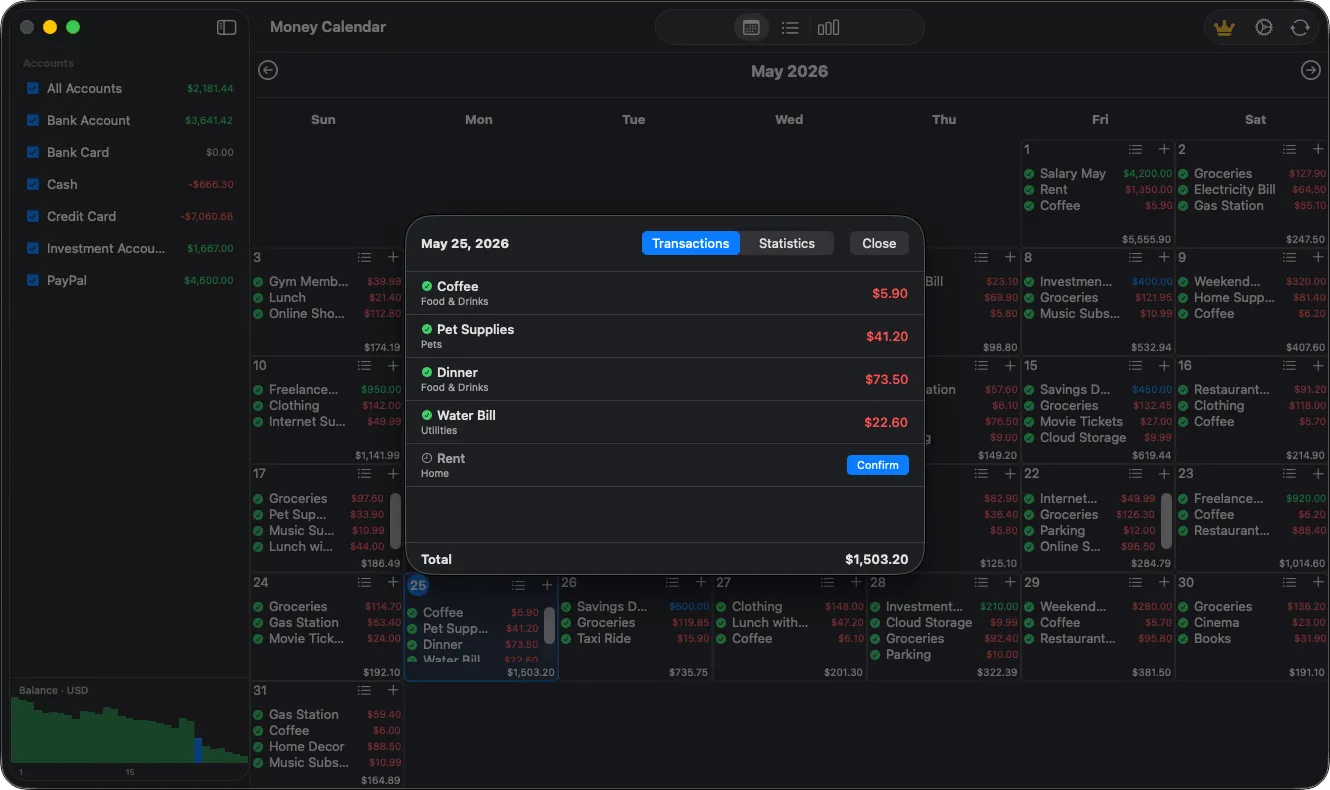
Daily transaction details screen in Money Calendar app
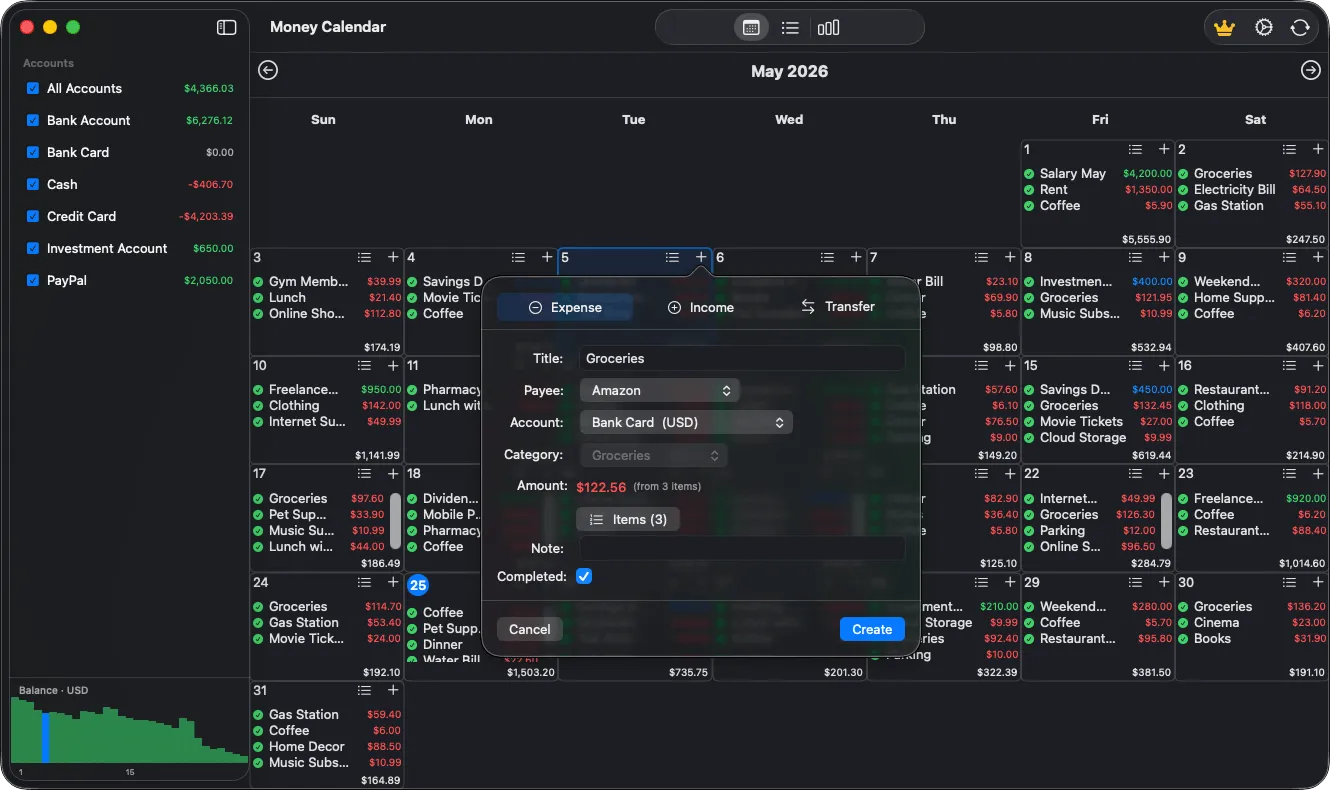
Add new income, expense, or transfer transaction in Money Calendar
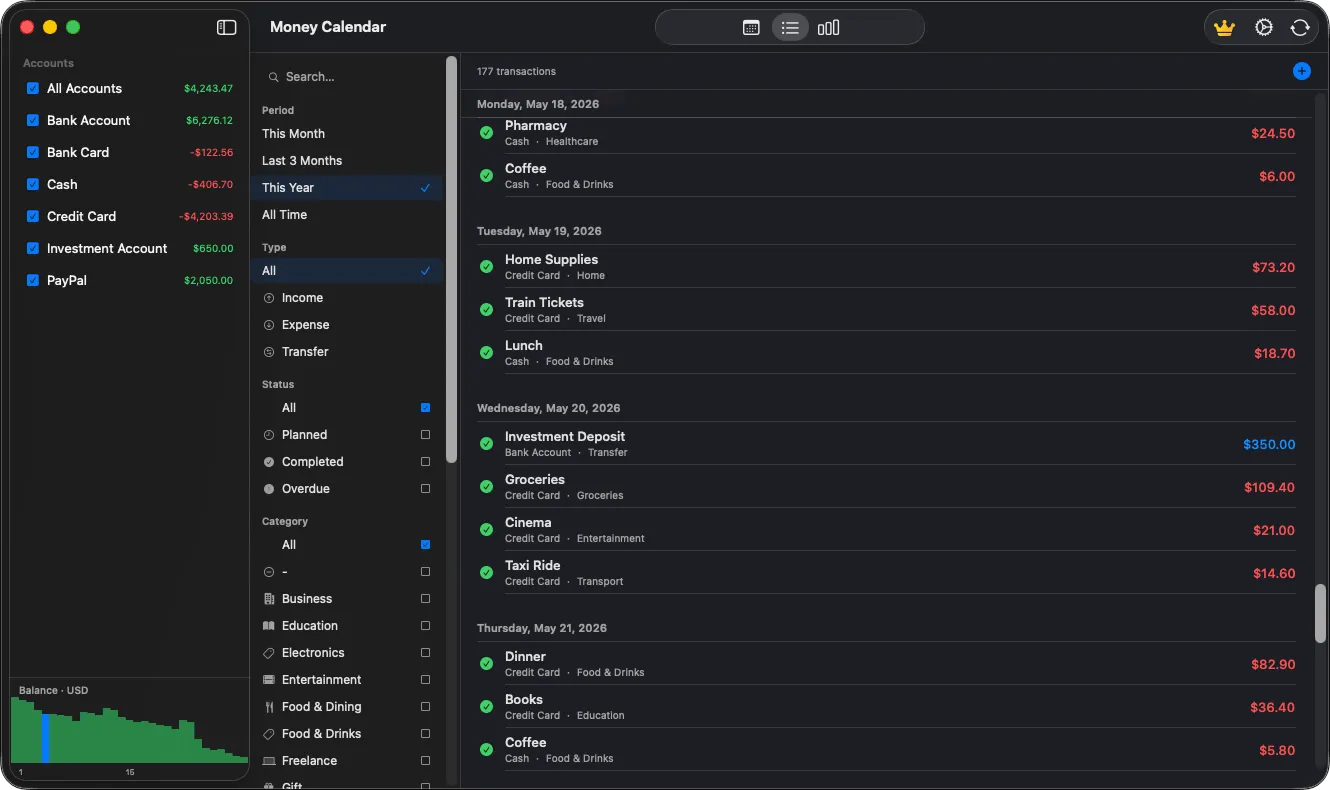
Full transaction history list in personal finance manager
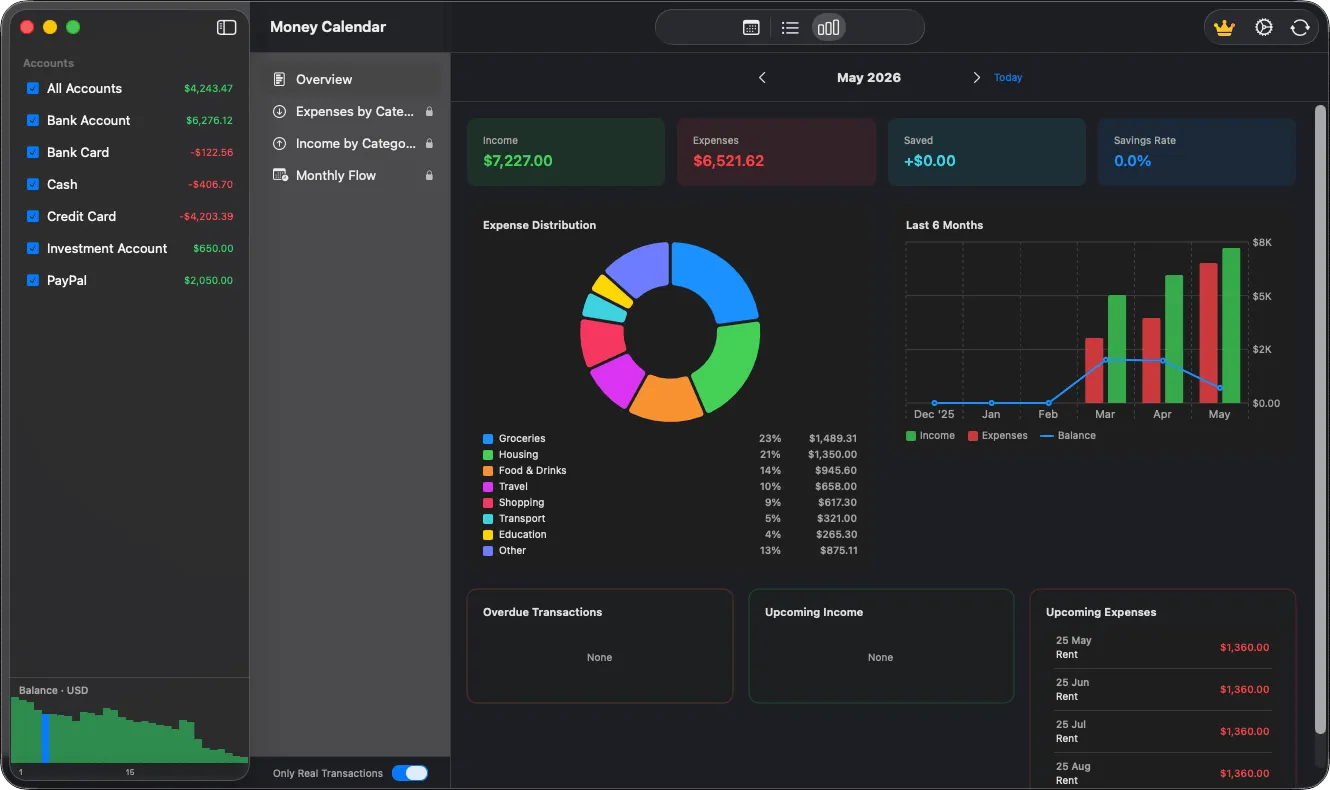
Financial reports and spending analytics dashboard in Money Calendar
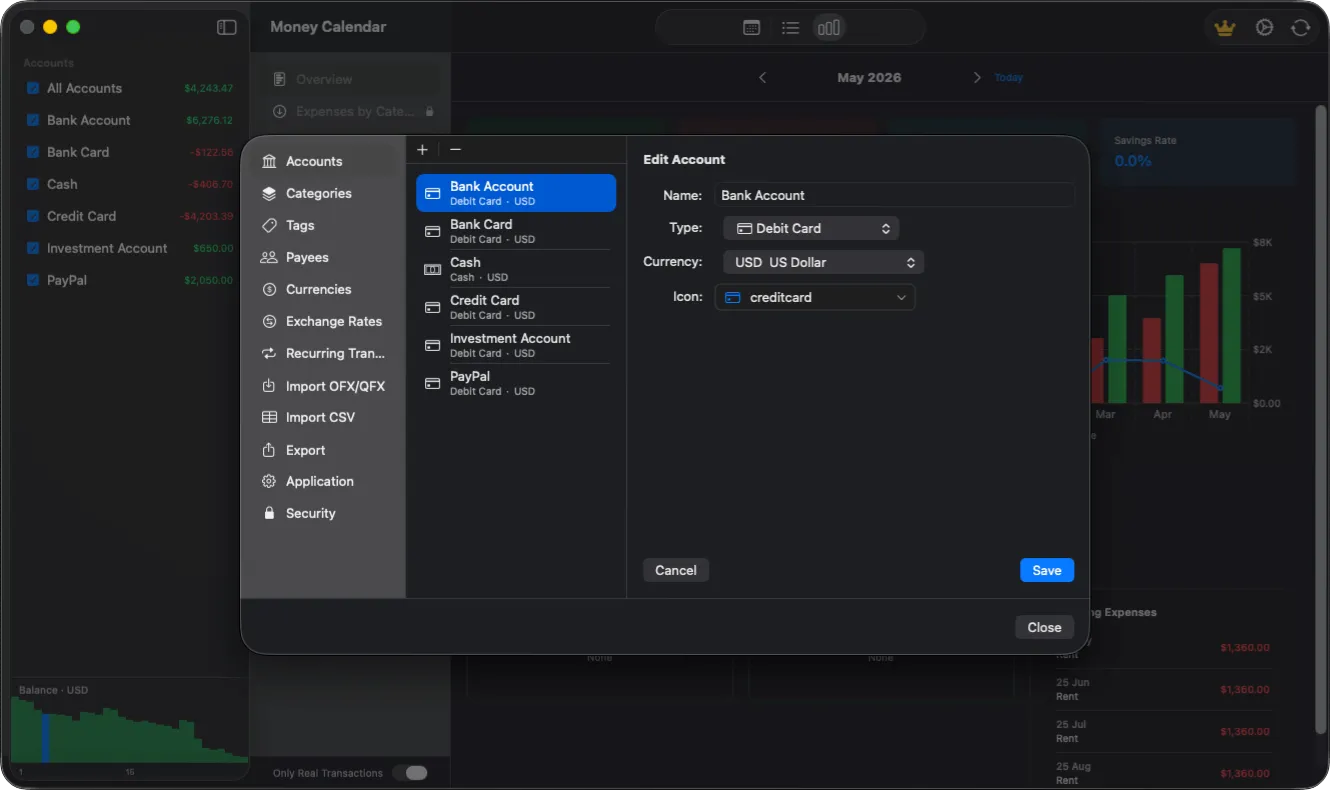
Account management screen for personal finance accounts and balances
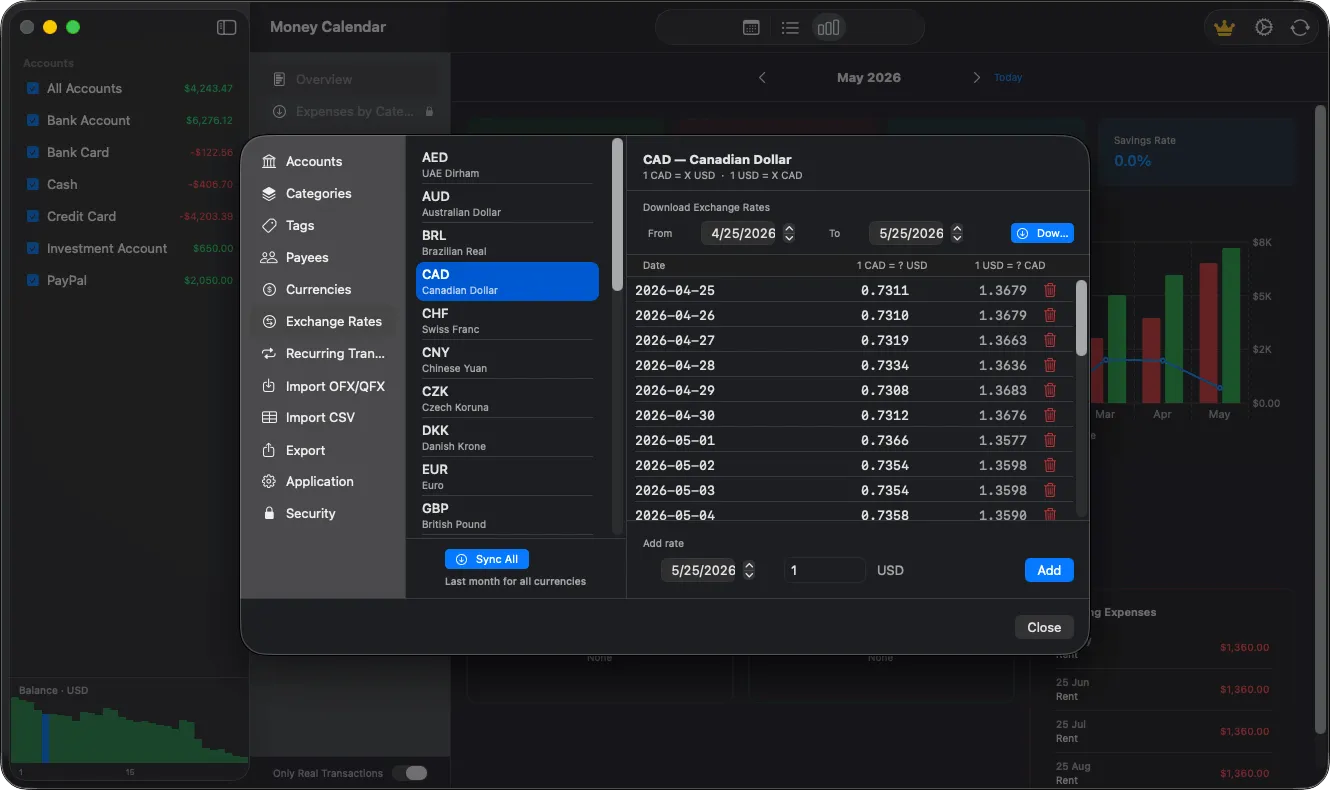
Currency exchange rates management in Money Calendar app
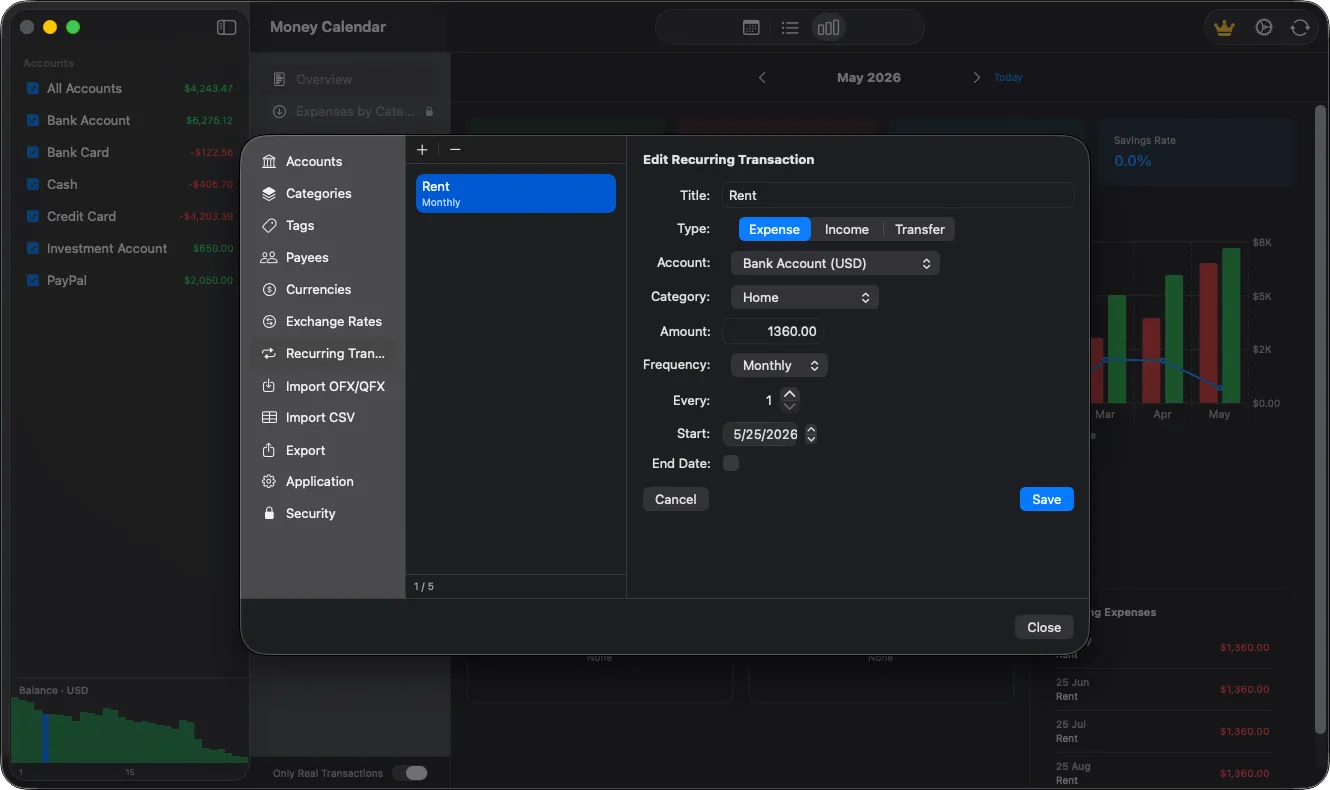
Recurring transactions management for automatic payments and income
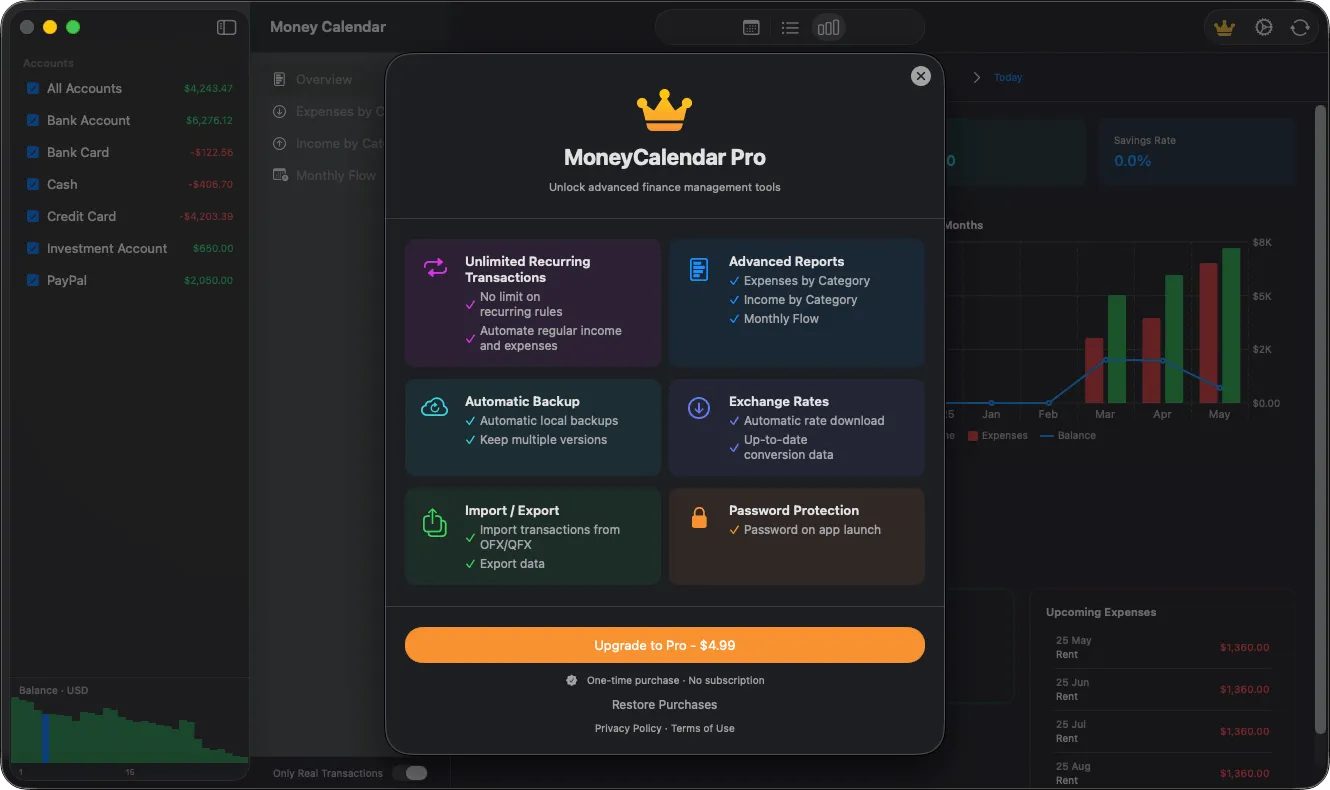
Money Calendar for macOS - Upgrade to Pro
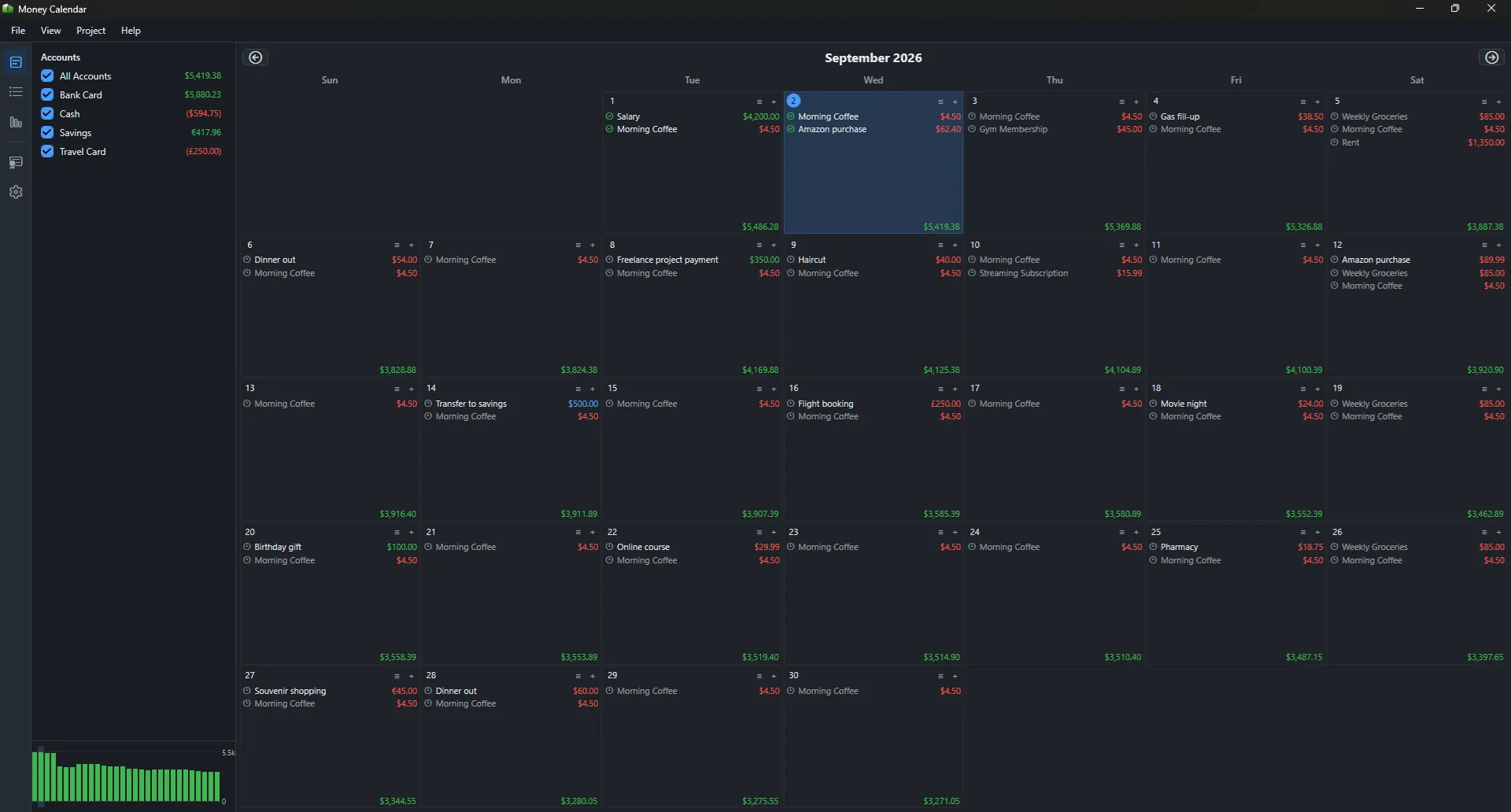
Money Calendar main calendar view
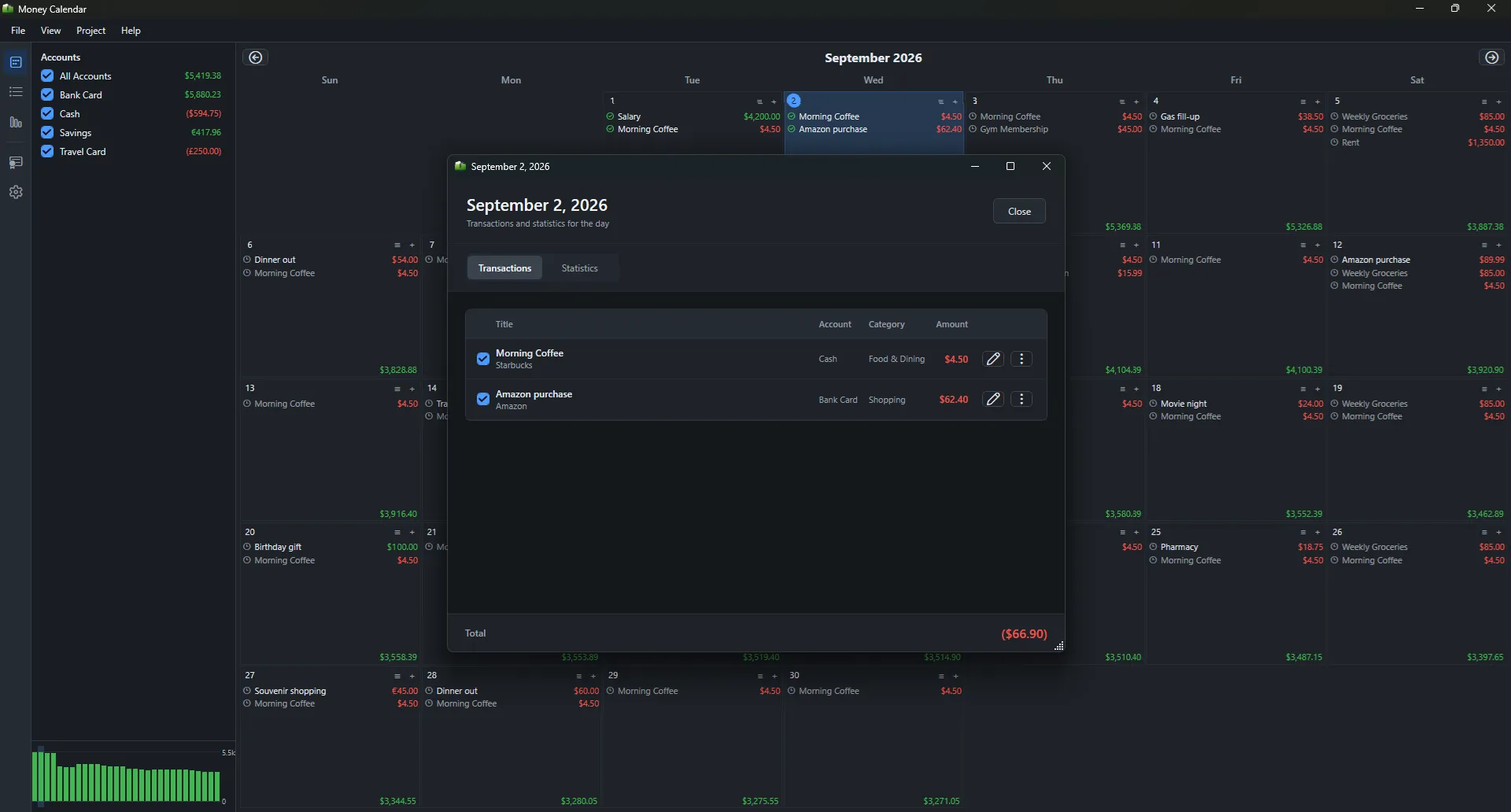
Money Calendar transaction details screen
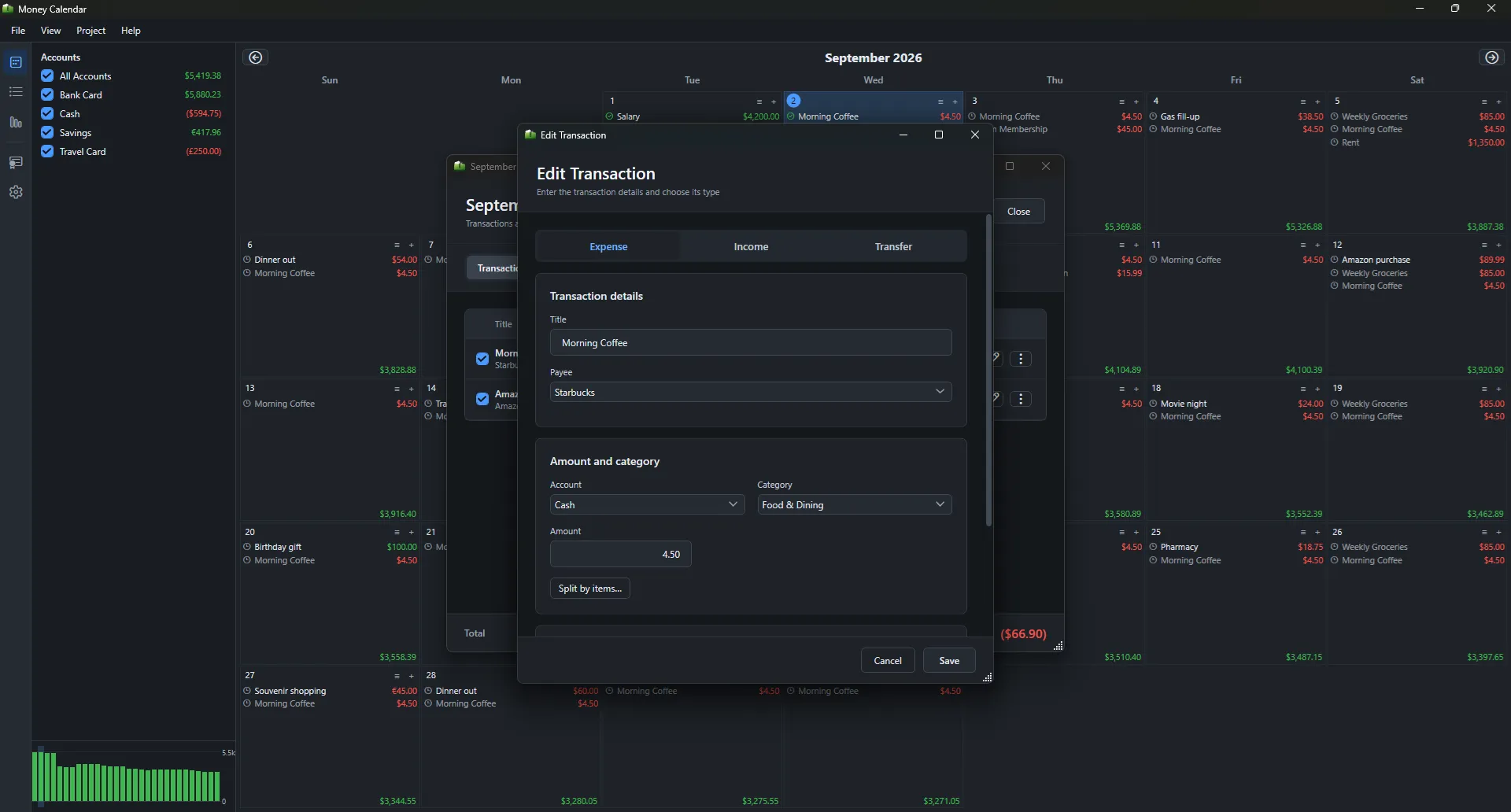
Money Calendar edit transaction screen
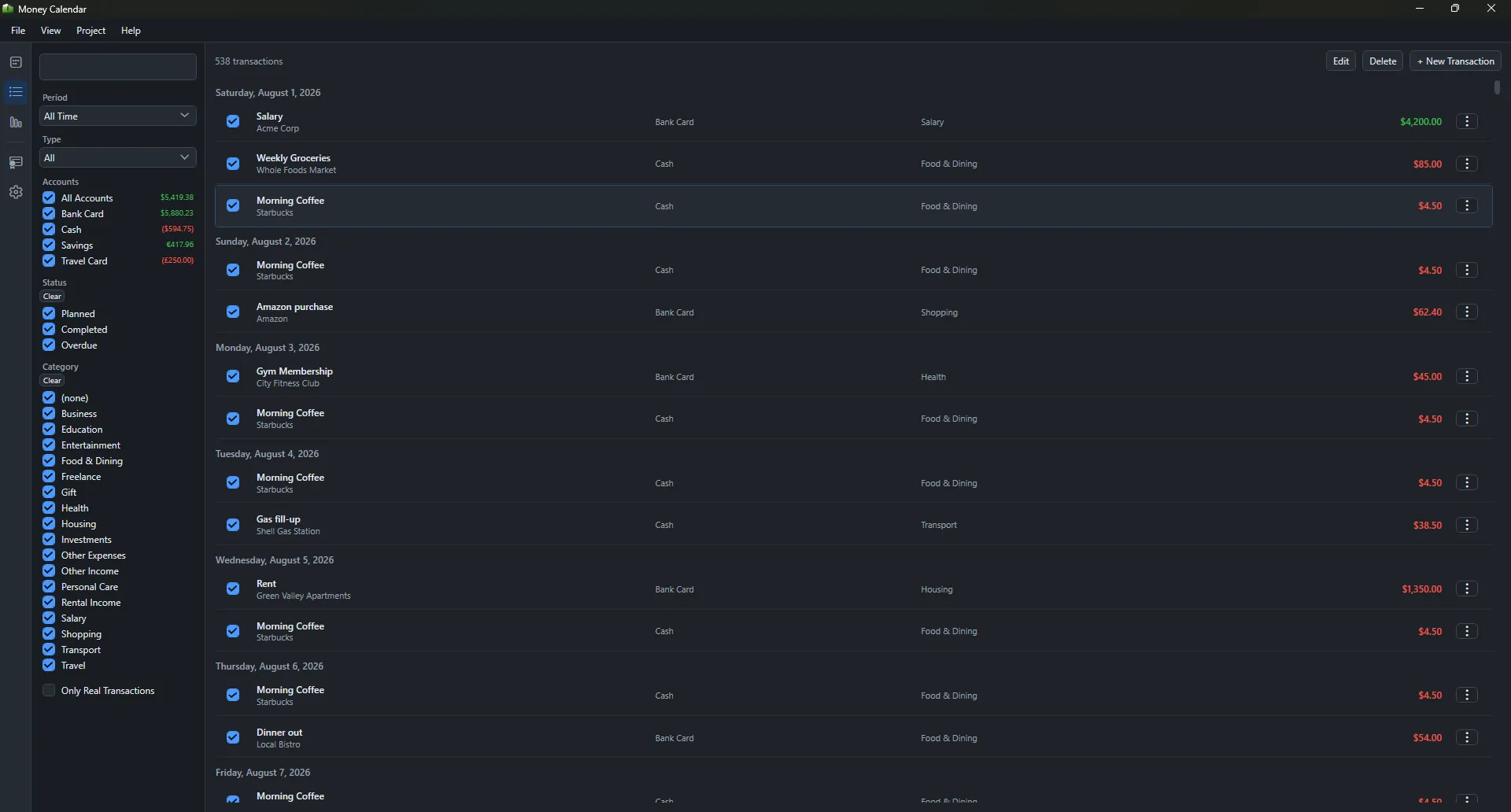
Money Calendar transactions list
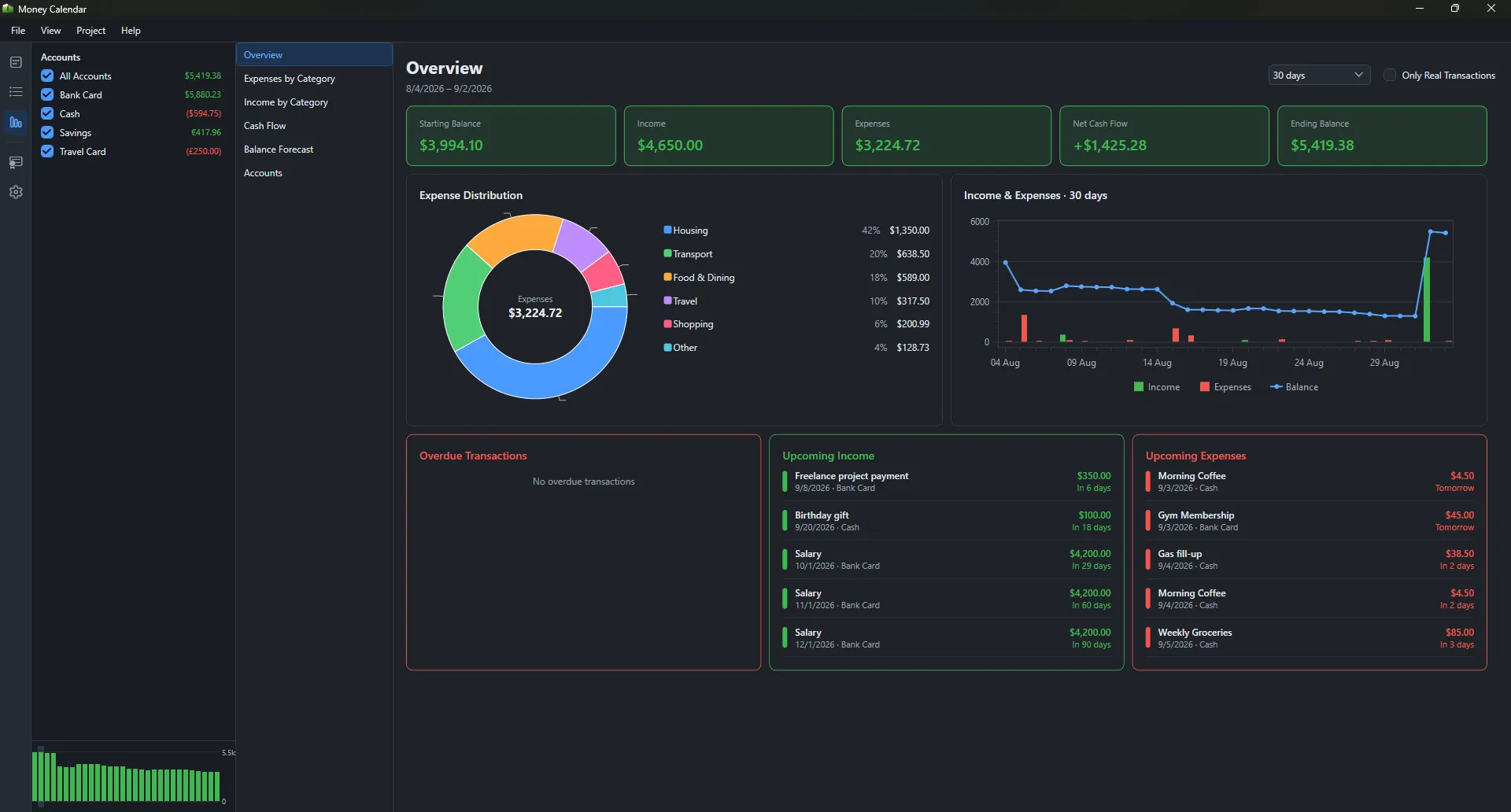
Money Calendar overview report
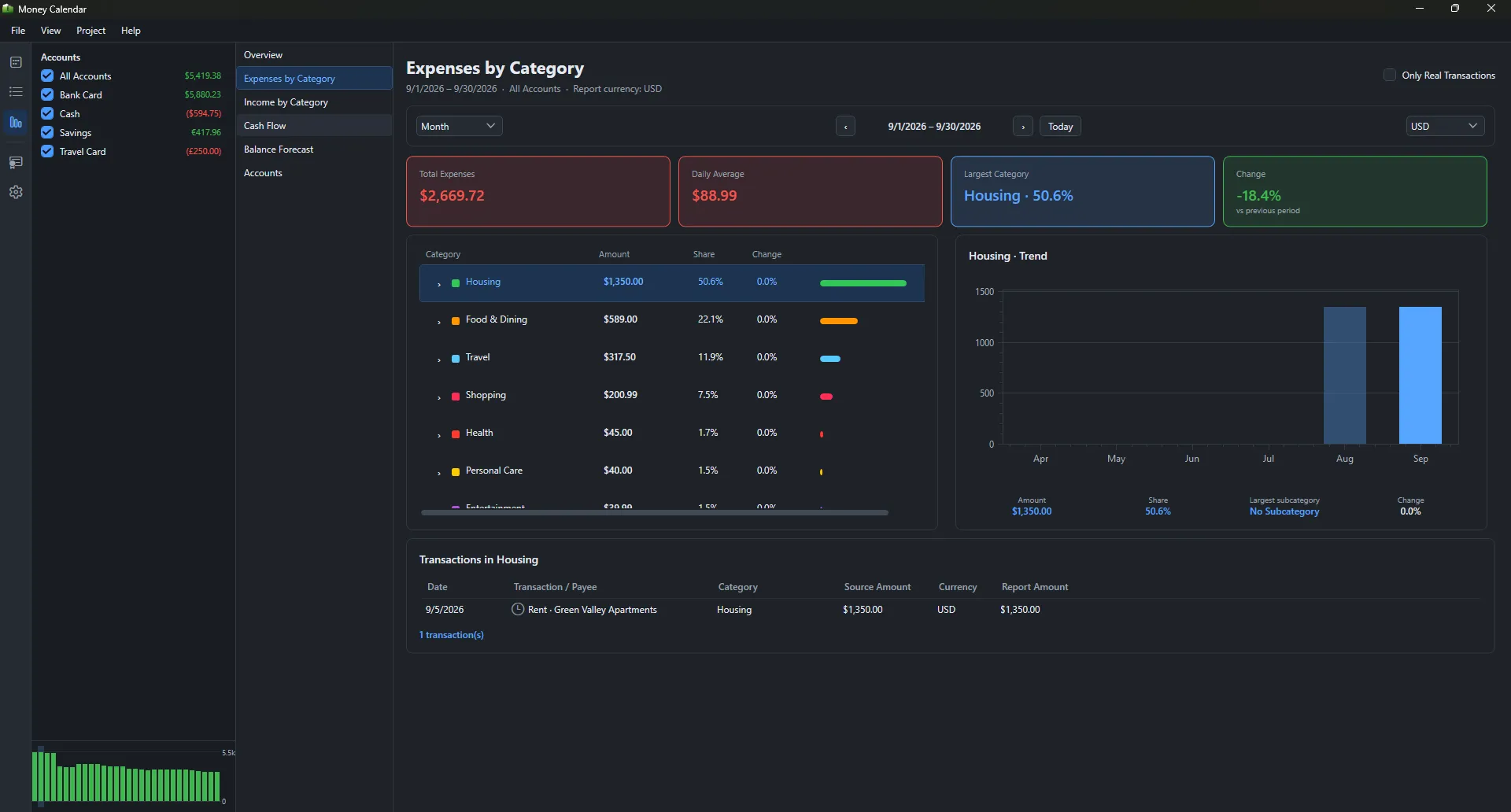
Money Calendar expenses by category report
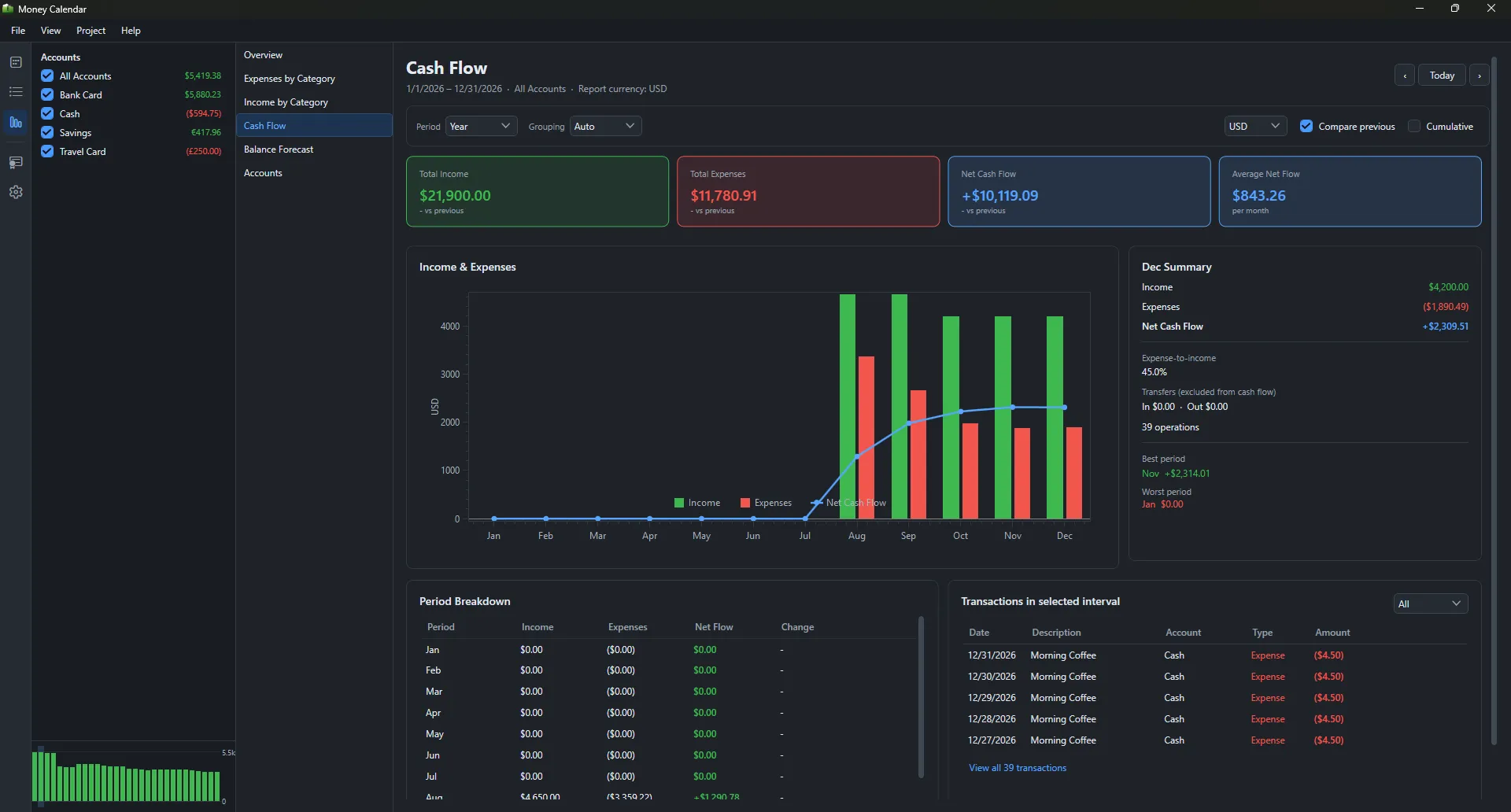
Money Calendar cash flow report
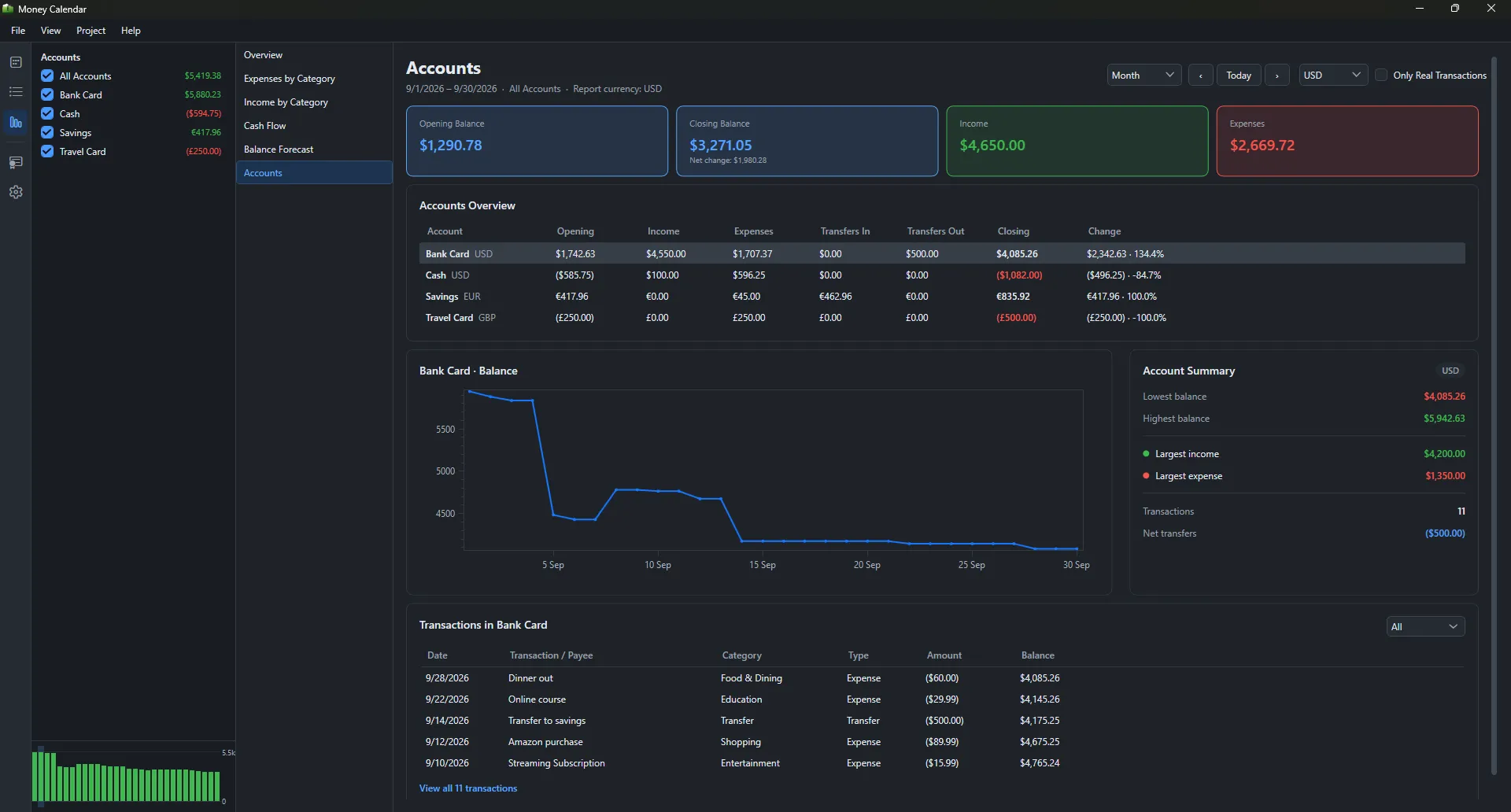
Money Calendar accounts report
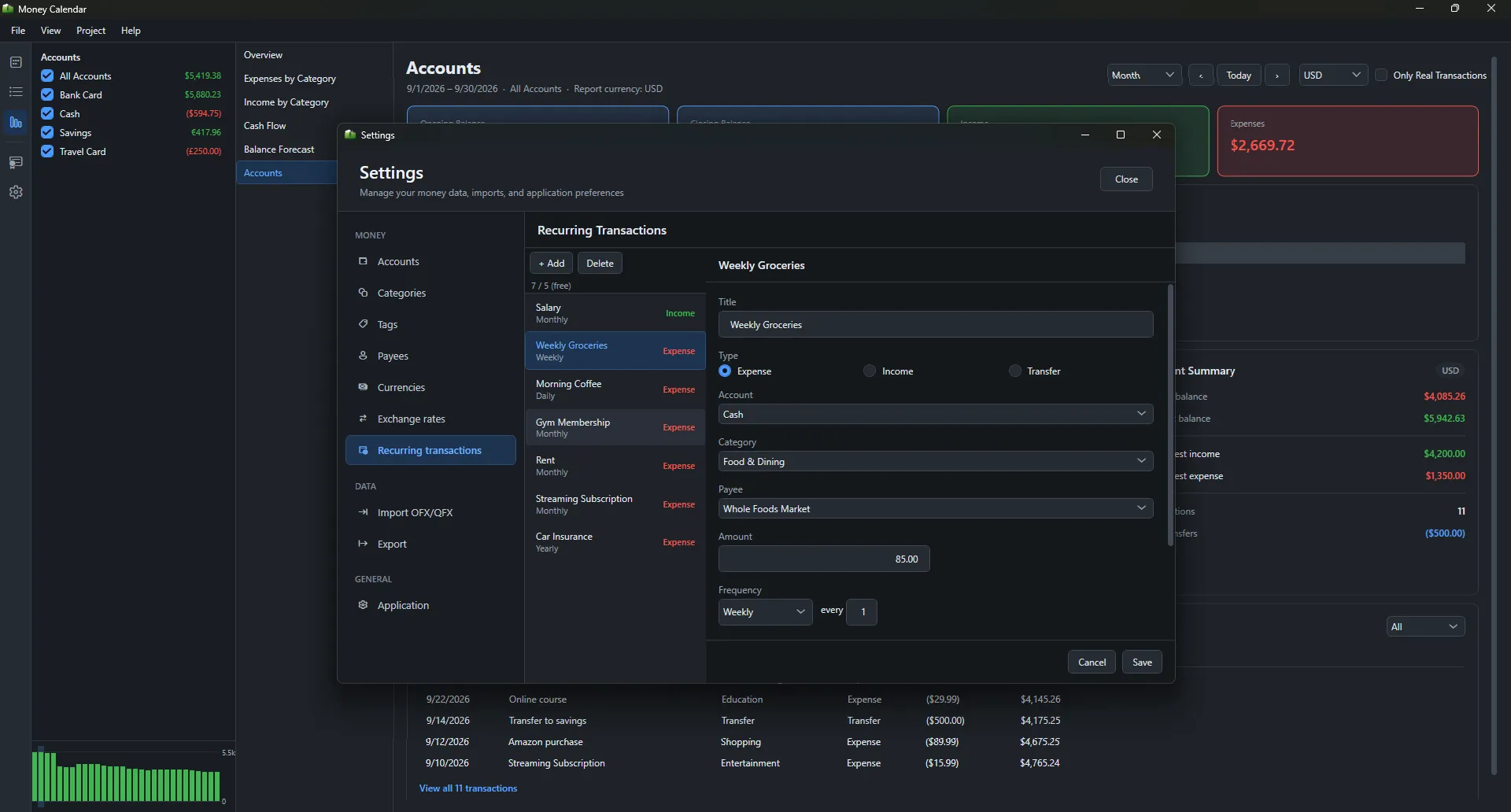
Money Calendar recurring transactions settings